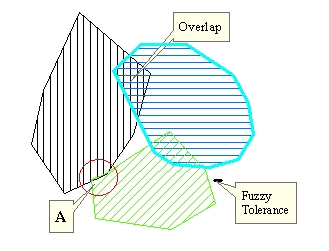
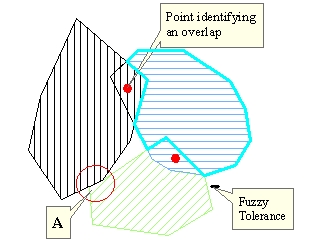
Input Layer
After Clean
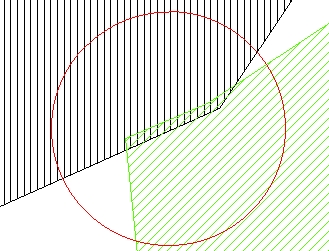
Detail A before Clean
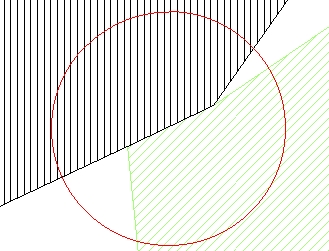
Detail A after Clean
Go to ET GeoWizards 12.x User Guide
Ensures topological correctness of a polygon feature data set.
Inputs:
Outputs:
Notes :
Example:
Input Layer |
After Clean |
|
|
Detail A before Clean |
Detail A after Clean |
|
|
| Attribute tables | |
| Input table | 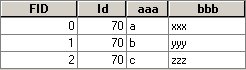 |
| Result table | 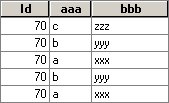 |
| Overlaps table | 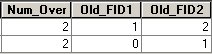 |
ToolBox
implementation
(Go to TOP)
Command line syntax
ET_GPCleanPolygon <input_dataset> <out_feature class> <fuzzy_tolerance>{overlaps_feature_class}
Parameters
| Expression | Explanation |
|---|---|
| <input_dataset> | A Polygon feature class or feature layer |
| <out_feature class> | A String - the full name of the output feature class (A feature class with the same full name should not exist) |
| {fuzzy_tolerance} | A Double setting the Fuzzy tolerance (in the units of the input dataset) to be used if the {clean_polylines} is True. If {clean_polylines}is False this parameter is ignored |
| {overlaps_feature_class} | A String - the full name of the output point feature class that identifies the overlaps in the input feature class. (A feature class with the same full name should not exist) |
Scripting syntax
ET_GPCleanPolygon (input_dataset, out_feature class, fuzzy_tolerance,overlaps_feature_class)
See the explanations above:
<> - required parameter
{} - optional parameter
| Copyright © Ianko Tchoukanski |