| HOME | HOME | |
|
Triangulated Irregular Network |
||
The TIN model represents a surface as a set of contiguous, non-overlapping triangles. Within each triangle the surface is represented by a plane. The triangles are made from a set of points called mass points.Mass points can occur at any location, the more carefully selected, the more accurate the model of the surface. Well-placed mass points occur where there is a major change in the shape of the surface, for example, at the peak of a mountain, the floor of a valley, or at the edge (top and bottom) of cliffs. The TIN model is attractive because of its simplicity and economy and is a significant alternative to the regular raster of the GRID model. Quick comparison: |
| TIN | GRID | |
| Advantages |
|
|
| Disadvantages |
|
|
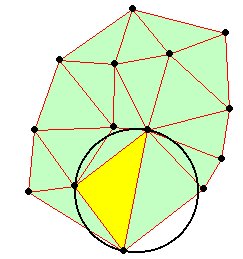
| The Delaunay Triangulation Delaunay triangulation is a proximal method that satisfies the requirement that a circle drawn through the three nodes of a triangle will contain no other node
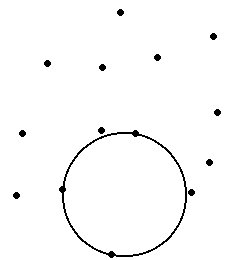
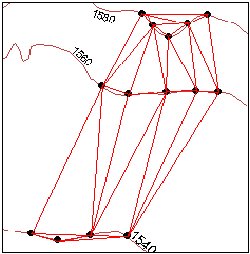
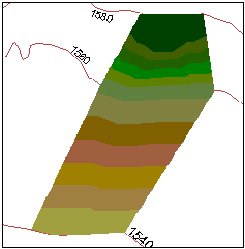
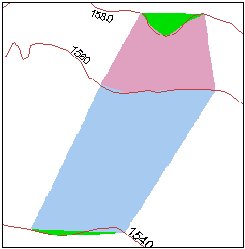
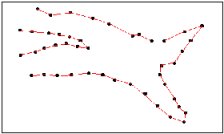
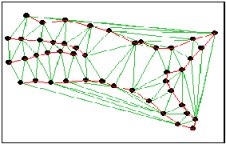
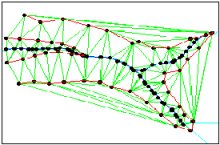
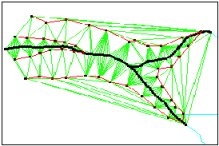
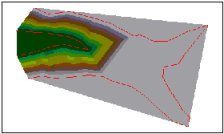
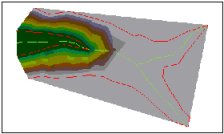
TINs from contours Contours are a common source of digital elevation data. In general all the vertices of the contour lines are used as mass points for triangulation. In many cases this will cause the presence of flat triangles in the surface. Flat triangles are created whenever a triangle is formed from three nodes with the same elevation value Flat triangles are frequently generated along contours when the sample points occur along the contour at a distance that is less than the distance between contours. When these "excess" vertices are not removed , the Delaunay triangulation discovers that the closest sample points are those along the same contour, causing the generation of flat triangles.The flat triangles have a slope of 0 and do not have defined aspect. They might cause problems when the surface is used for modeling. Example |
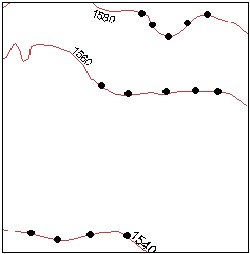
| The contours | The triangulation - We can see several flat triangles here |
![]() |
![]() |
| The elevation | The slope- The green areas indicate Slope = 0 (flat triangles) |
![]() |
![]() |
|
How can we avoid the flat triangles ?
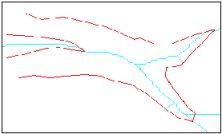
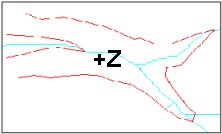
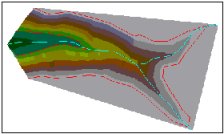
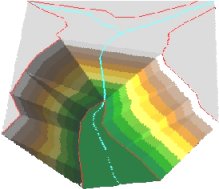
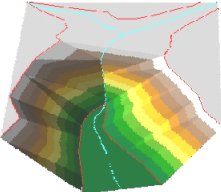
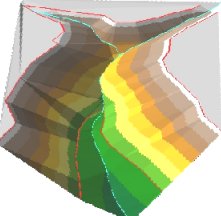
Break lines Linear features which define and control surface behavior in terms of smoothness and continuity are called break lines. Types break lines:
Example: |
| No break lines | Soft break lines | Hard break lines | |
| The Data | ![]() |
![]() |
![]() |
| The Triangulation | ![]() |
![]() |
![]() |
| The Surface | ![]() |
![]() |
![]() |
| 3D View | ![]() |
![]() |
![]() |
| Storing TINs There are basically two ways of storing triangulated networks:
The first method is better for storing attributes (slope, aspect ..) for each triangle, but uses more storage space. The second one is better for generating contours and uses less storage space, but slope, aspect , etc must be calculated and stored separately. TIN and ArcView The 3D Analyst extension has a very good algorithm for building TINs. It has plenty of functions to analyze and visualize a TIN surface. It stores the TIN structure using the second method above. That's why the slope, aspect and hillshade analysis functions create grids to represent the results. The build TIN and create contours procedures are fast and efficient. EditTools 3.1 extension creates TIN structures and stores the data as a 3D triangles (PolygonZ shape file). After analysis the slope, aspect and hillshade values are stored as attributes for each triangle. This allows fast visualization of the different surface derivatives. The TIN interpolation procedure and the deriving of contours from the surface are slower, but the results are pretty much the same as these obtained from 3D Analyst. |
Note: |
| The TIN function in ET GeoWizards is at least 100 times faster than this in EditTools 3.x |
For any comments and enquiries contact: webmaster@ian-ko.com
All ESRI products mentioned are trademarks of Environmental Systems Research
Institute, Inc.
Copyright: Ianko Tchoukanski