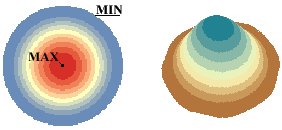
Uses Kernel Density Estimation to interpolate a surface from the input Point or Polyline features. The function fits a symmetrical surface over each input point using Gaussian kernel.
The surface has maximum value in the input point, decreases as the distance from the input point increases and has 0 values at distance
equal to the search radius.
The volume of the created surface is equal to the value of the input point.
The density of each cell of the
output raster is calculated by adding the values of all individual surfaces for that cell.
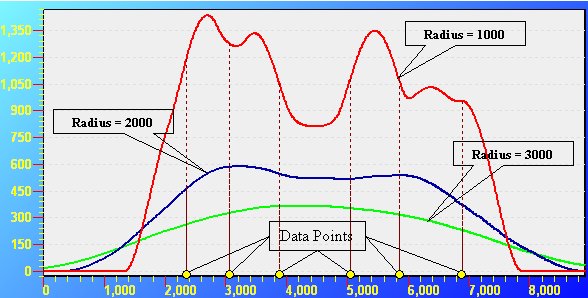
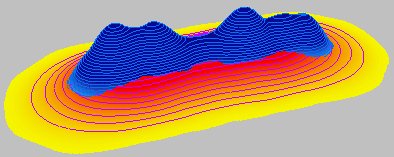
The search radius does not influence the volume of the surface, but has a major impact on the generalization of the data. The larger the search tolerance, the smoother and more generalized surface will be interpolated. As you can see from the image below the selection of the search radius is very important and influences greatly the surface. You should evaluate your data and have always in mind what is the goal of the task when deciding on what search tolerance to use.
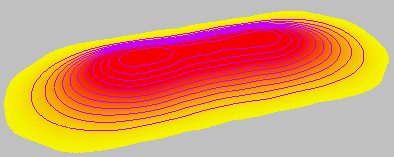
Output raster - Interpolation Radius = 2000 meters - smoother more generalized appearance.
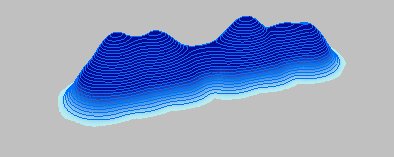
Output raster - Interpolation Radius = 1000 meters - more pronounced influence of the individual points.
Both surfaces superimposed - two very different surfaces. The volume of both however is the same and is equal to the sum of the values of the input points.
Parameters
| Expression | Explanation |
|---|---|
| Function Name | DensityRaster |
| <input dataset> | A String representing the input layer. Must be of Point or Polyline type. |
| <output raster> | A String - the full name of the output raster. |
| <cell size> | A Double representing the cell size of the output raster. |
| <value field> | A String representing the name of the field which values are going to be used for interpolation. |
| <interpolate radius> | A Number - see main description above. |
| {output units} | A String - possible values are "SquareMeters", "SquareKilometers", "Hectares", "SquareFeet", "SquareMiles", "Acres", "SquareYards", "Decares", "Ares". |
ETSPath used in the table below is the full path to ETSRun.exe (E.G. "C:\Program Files\ETSpatial Techniques\ETSurface\ETSRun.exe")
| Language | Syntax |
|---|---|
| Python | subprocess.call([ETSPath, "DensityRaster", "input dataset", "output raster", "cell size", "value field", "interpolate radius", "output units"]) |
| .NET using ETSRun.exe | StartInfo.FileName = ETSPath StartInfo.Arguments = "DensityRaster" "input dataset" "output raster" "cell size" "value field" "interpolate radius" "output units" |
| .NET using ETSOutX.dll | DensityRaster(input dataset, output raster, cell size, value field, interpolate radius, output units) |
| ArcPy | arcpy.DensityRaster("input dataset", "output raster", "cell size", "value field", "interpolate radius", "output units") |
Notes:
<> - required parameter
{} - optional parameter
The argument separator for StartInfo.Arguments is space. If a string might contain a space, you need to double quote it.