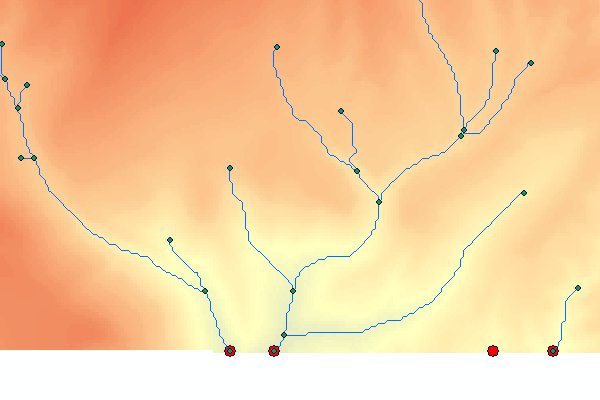
Extract Outlets (pour points) from a Flow Direction raster (D8 or D-infinity).
Inputs:
Input Flow Direction raster dataset (D8 or D-infinity).
Full name of the output point feature layer.
Outputs:
A Point feature class representing the points at which the flow stops or leaves the extent of the DEM.
Each outlet point is assigned an ID recorded in the "ET_Outlet" field of the attribute table
Example:
An example of Extract Outlets output (the red points). For some of the extracted points the
Flow Accumulation will be too low to delineate a stream.
Notes:
When the Flow Direction raster was created from a depressionless DEM, the outlet points should be at the border of the raster or
next to areas of NoData.
The extracted outlet points can be edited and used later for the delineation of Watersheds.