
Calculates the aspect (the direction in which slope faces) of each cell of the input raster in degrees.Read more about Aspect and its importance here
Source Elevation raster
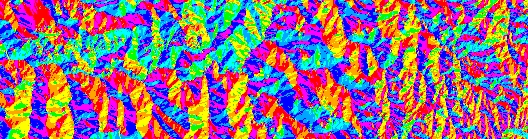
Result Aspect raster (Degrees option used)
Parameters
| Expression | Explanation |
|---|---|
| Function Name | RasterAspect |
| <input raster> | A String representing the input raster dataset. |
| <output raster> | A String - the full name of the output raster. |
ETSPath used in the table below is the full path to ETSRun.exe (E.G. "C:\Program Files\ETSpatial Techniques\ETSurface\ETSRun.exe")
| Language | Syntax |
|---|---|
| Python | subprocess.call([ETSPath, "RasterAspect", "input raster", "output raster"]) |
| .NET using ETSRun.exe | StartInfo.FileName = ETSPath StartInfo.Arguments = "RasterAspect" "input raster" "output raster" |
| .NET using ETSOutX.dll | RasterAspect(input raster, output raster) |
| ArcPy | arcpy.RasterAspect("input raster", "output raster") |
Notes: