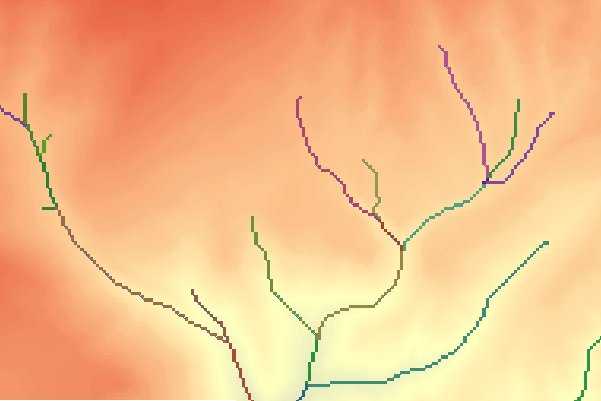
Assigns unique values to sections of streams between junctions. A Link is each section of Stream between two junctions,
the stream head and a junction or a junction and the outlet.
Inputs:
A Stream raster dataset.
A D8 Flow Direction raster dataset
Output Raster name and format
Outputs:
A Stream Link raster. A unique integer value is assigned to each Stream section between junctions.
Example:
An example of Stream Link output.
Notes:
The input Stream raster should be represented as values greater than or equal to one on a background of NoData
The input Stream raster and the input D8 Flow Direction raster must have
the same cell size and extent. In fact they should originate from the same DEM raster.