Go to ET GeoWizards 12.x User Guide
Generates random points located on the polylines of the input polyline dataset. The number of points per polyline can be constant or different for each polyline - based on the values in a numeric field of the input polyline feature class."
Inputs:
Outputs:
Note: Be careful with assigning the number of points per polyline. The function will try to create N unique points on the polyline and if the number of points allocated is too large, might be very slow or even fall into an indefinite loop.
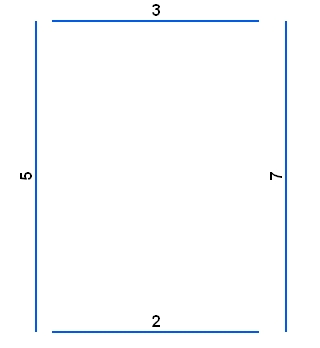
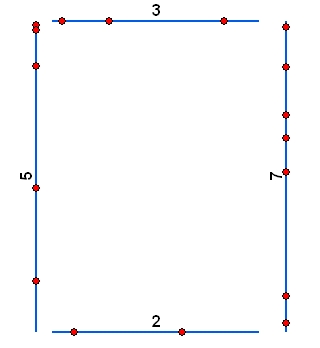
Illustration:
| Original polylines labeled with the values in field to be used as a source for getting the number of points to be generated | The resulting point dataset |
|
|
|
ToolBox
implementation
(Go to TOP)
Command line syntax
ET_GPRandomPointsOnPolylines<input_dataset> <out_feature class> {number_points_field} {number_points}
Parameters
| Expression | Explanation |
|---|---|
| <input_dataset> | A Plyline feature class or feature layer |
| <out_feature class> | A String - the full name of the output feature class. |
| {number_points_field} | Optional. A String numeric field which values will be used to get the number of points to be generated per polyline. |
| {number_points} | Optional.
A number that is used in two ways
|
Note: One of number_points_field or number_points should be specified.
Scripting syntax
ET_GPRandomPointsOnPolylines(input_dataset, out_feature class, number_points_field, number_points)
See the explanations above:
<> - required parameter
{} - optional parameter
| Copyright © Ianko Tchoukanski |