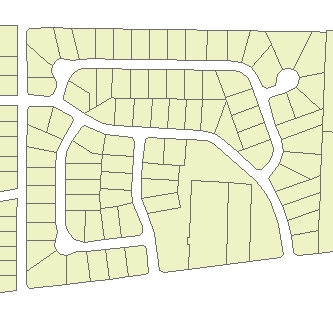
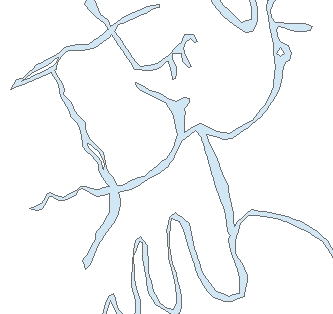
Input Dataset
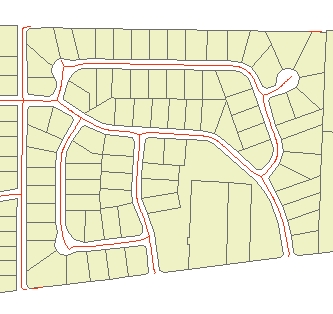
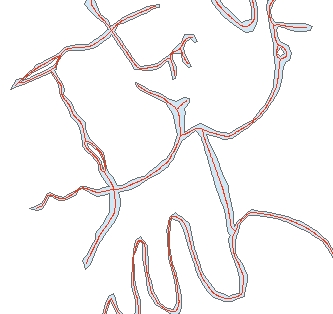
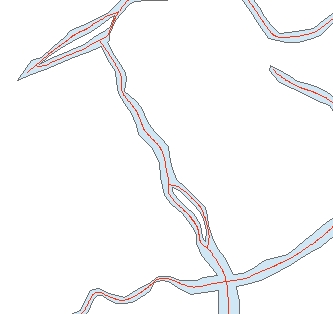
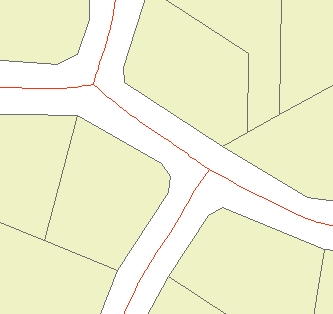
Result
Result (Detail)
Go to ET GeoWizards 12.x User Guide
Not available in the versions of ET GeoWizards for ArcGIS 8.x
Creates centerlines from polygon features.
Inputs:
Outputs:
Notes:
Examples:
Input Dataset |
Result |
Result (Detail) |
|
|
|
|
Input Dataset |
Result |
Result (Detail) |
|
|
|
|
ToolBox
implementation
(Go to TOP)
Command line syntax
ET_GPCreateCenterlines <input_dataset> <out_feature class> <maximum_width> <minimum_width> <centerlines_type> {smooth_centerlines}
Parameters
| Expression | Explanation |
|---|---|
| <input_dataset> | A Polyline feature class or feature layer |
| <out_feature class> | A String - the full name of the output feature class (A feature class with the same full name should not exist) |
| <maximum_width> | A Double representing the aggregation distance. The polygons that are closer to each other than this distance will be combined |
| <minimum_width> | A Double representing the minimum area of holes to be preserved. All holes with area less than this tolerance will be removed. |
| <centerlines_type> | Required.
A String indicating the type of centerlines to be created. Case
sensitive.
|
| {smooth_centerlines} | A Boolean indicating whether the resulting centerlines will be smoothed. B-Spline smoothing algorithm is used |
Scripting syntax
ET_GPCreateCenterlines (input_dataset, out_feature class, maximum_width, minimum_width,centerlines_type, smooth_centerlines )
See the explanations above:
<> - required parameter
{} - optional parameter
| Copyright © Ianko Tchoukanski |