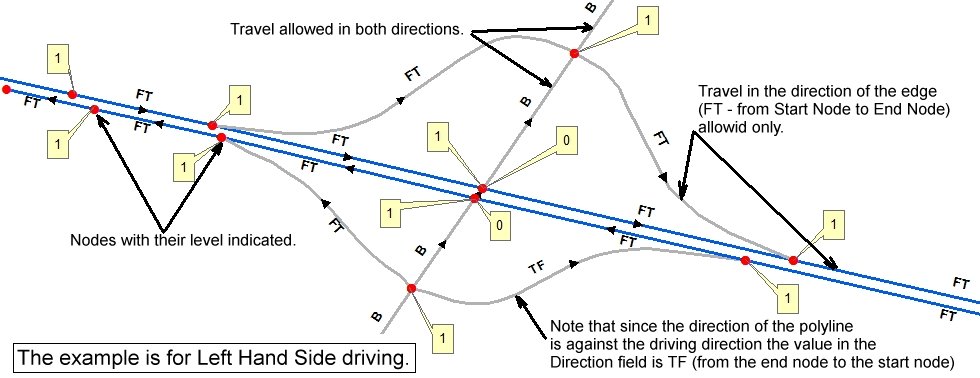
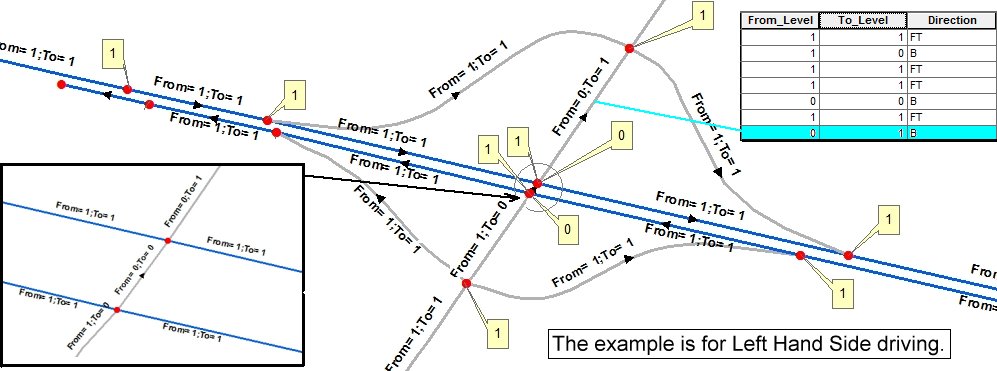
- The SDN is generally planar, but it can have non-planar elements that can be modeled with attributes as for the BDN (see Network Attributes below)
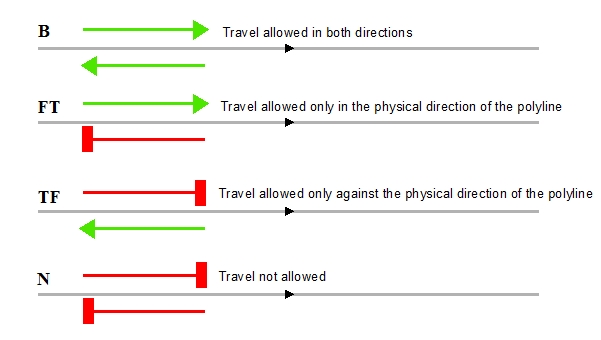
- The directions of the edges can be maintained as the physical directions of the source polylines or using attributes (see Network Attributes below).
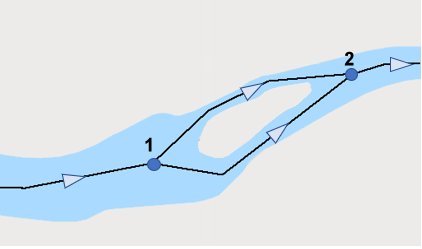
- The loops should be avoided.The Check for Loops function can be used to find the location of loops.
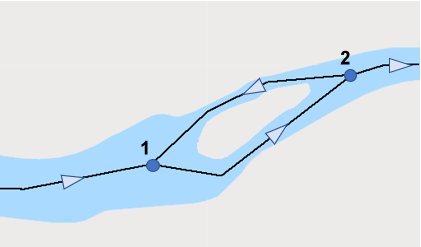
- A typical river with an island. The flow direction in both channels is the same (from Node 1 to Node 2), so no loop is present
- The transported agent travels from node 1 to Node 2 then returns from Node 2 to Node 1 - this is a loop. The source data for the network should be corrected.
- The BDN is generally non-planar. In a road network for example, most intersections happen on the same level( we need to have nodes at all these intersections). Some of the edges however cross at different levels (over & under passes on the highways for example). There are 2 ways to handle such cases:
- do not intersect the crossing roads (do not create a node at the intersection)
- Create a node at the intersection and handle the intersection with elevation attributes (see Network Attributes below).
- Most of the edges in a BDN are bidirectional (travel in both directions is allowed). There however are some edges (highways represented by 2 lines - one in each direction, on & off ramps, etc.) where the restrictions should be applied to some of the edges. This can be handled by using "Direction" attribute (see Network Attributes below).
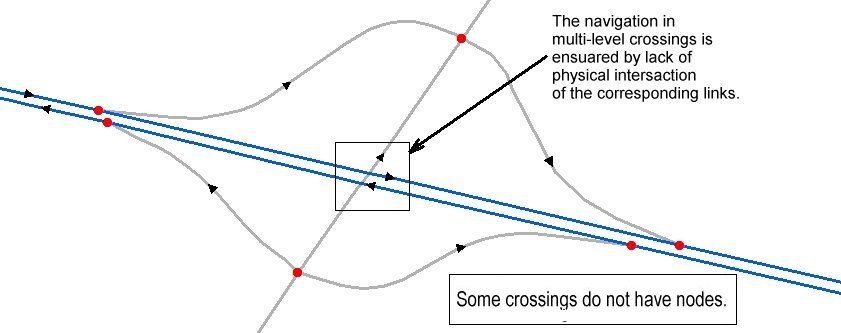
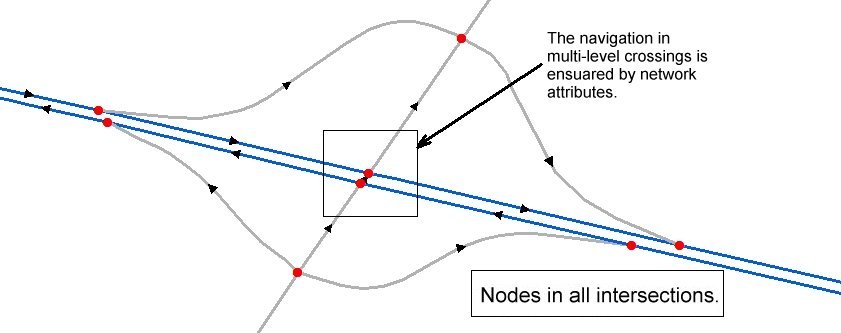
Each of the above approaches has advantages and disadvantages, but the second method is more appealing because it needs proper topological relations between the features of the source data which can be accomplished for the entire dataset at once.